[03] ● Rehired
Old iPads Back at work
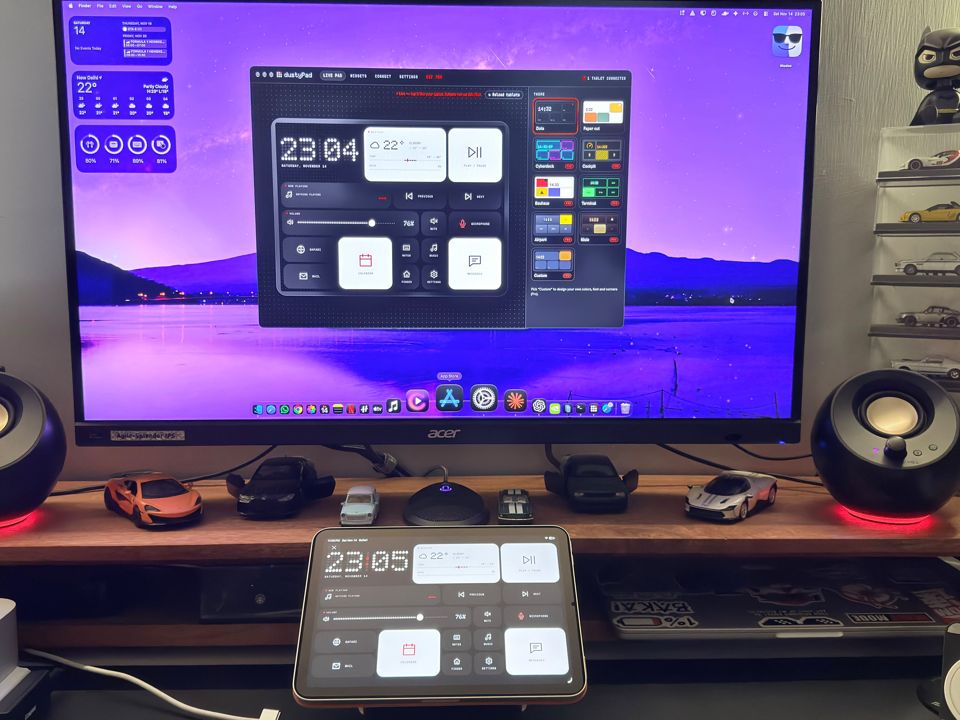
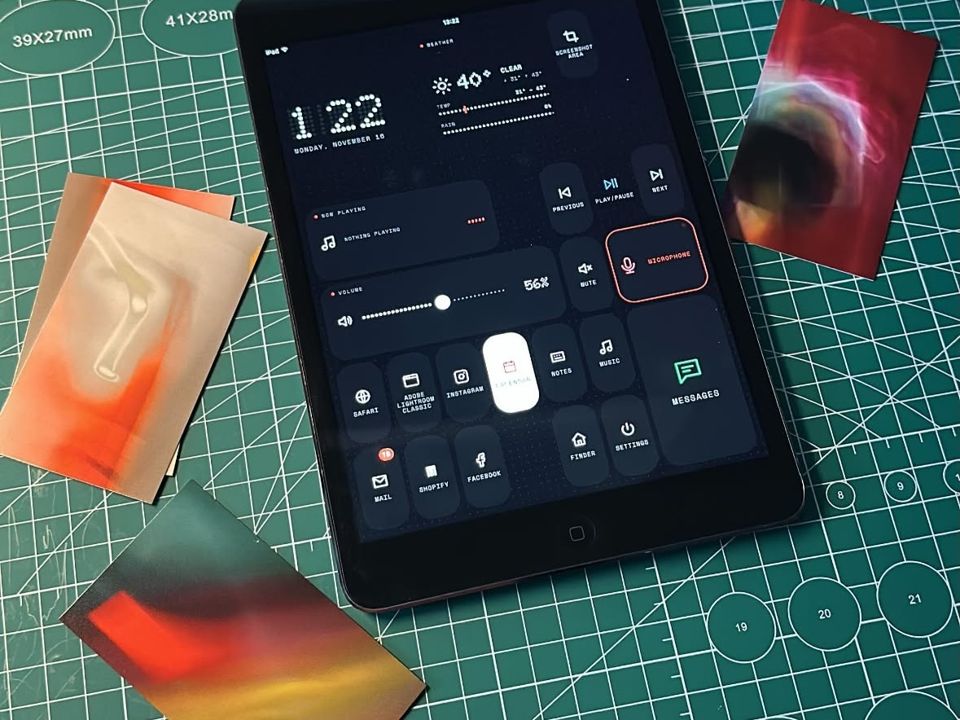
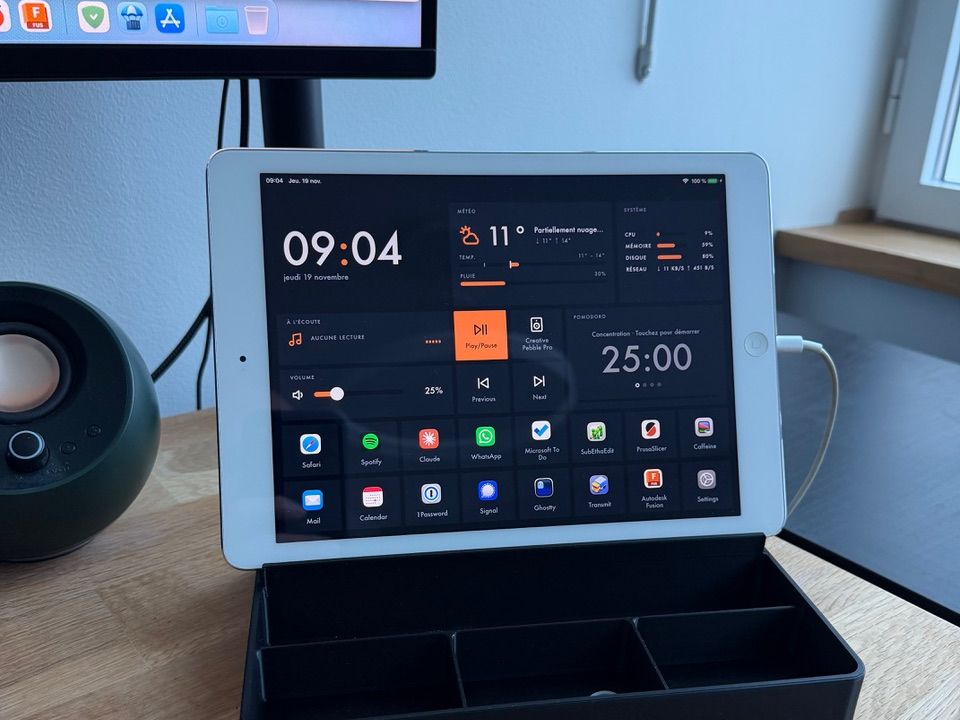
dustyPad users who sent us their desks, shared here with their permission.
Most lists assume your iPad still gets new apps. If it’s stuck on iOS 9, 10 or 12, the App Store has moved on without it. These 9 jobs still work, and you can pick your model to see which ones work on yours.
Not sure which one you have? Open Settings → General → About, or search the model number (A1234) printed on the back.
Sorted by how much use you’ll get out of them. Each one lists the oldest iOS it needs, so nothing here asks for an app your iPad can’t install.
dustyPad turns the iPad into big touch keys and live widgets next to your keyboard: mute your mic, control music and volume, open apps, take screenshots, see the clock and weather. It runs in Safari over your Wi-Fi, so there’s nothing to install on the iPad. Free; Pro adds keyboard shortcuts, timers and more themes for $5 once.
Make an album, open it in Photos and start a slideshow. Plug it in, set Auto-Lock to Never and it runs all day. In dustyPad, the photo slideshow widget PRO shows your pictures next to your keys.
The Clock app gives you alarms, a timer and a stopwatch. For a big always-on face with the weather, dustyPad’s free clock and weather widgets fill the screen on your desk.
Apple Books (iBooks on older versions) comes with the iPad from iOS 8. Add EPUBs and PDFs from your Mac or iCloud. A 2013 iPad weighs more than a Kindle, but the screen is bigger and it costs you nothing.
Save recipes to Safari’s Reading List, then turn on Guided Access (Settings → General → Accessibility) to lock the iPad to one page while your hands are messy. A cheap stand makes it a kitchen display.
A timer you can see from across the desk beats one buried in your phone. The Clock app’s timer works on any of these iPads. dustyPad’s Pomodoro widget PRO runs work and break cycles and sits next to your mute key.
Apple’s Home app turns a wall-mounted iPad into a HomeKit remote. It arrived with iOS 10, so the iPad 2, 3 and first mini can’t run it. Web dashboards like Home Assistant need a recent Safari, so test yours before you mount it.
Sidecar only works with iPads that support Apple Pencil: iPad 6th gen or newer, any iPad Pro, iPad Air 3, iPad mini 5. Older iPads need a third-party display app, and most of those want a recent iOS too. Check the App Store listing first.
Get a trade-in quote first. Models from before 2017 usually get little or no credit, and Apple recycles any Apple device for free. Erase it before it leaves: Settings → General → Reset → Erase All Content and Settings.
The last iOS each model can install decides which apps it can run. Everything in Safari keeps working long after the App Store gives up.
| Model | Last iOS | dustyPad | Home app | Sidecar | Uses on this page |
|---|---|---|---|---|---|
| iPad1st gen · 2010 | 5.1.1 | No | No | No | 2 |
| iPad 22011 | 9.3.5 | Yes | No | No | 7 |
| iPad 3rd gen2012 | 9.3.5 | Yes | No | No | 7 |
| iPad mini1st gen · 2012 | 9.3.5 | Yes | No | No | 7 |
| iPad 4th gen2012 | 10.3.3 | Yes | Yes | No | 8 |
| iPad Air1st gen · 2013 | 12.5.7 | Yes | Yes | No | 8 |
| iPad mini 22013 · our reference iPad | 12.5.7 | Yes | Yes | No | 8 |
| iPad mini 32014 | 12.5.7 | Yes | Yes | No | 8 |
| iPad Air 22014 | 15.8 | Yes | Yes | No | 8 |
| iPad mini 42015 | 15.8 | Yes | Yes | No | 8 |
| iPad Pro1st gen · 2015–16 | 16.7 | Yes | Yes | Yes | 9 |
| iPad 5th gen2017 | 16.7 | Yes | Yes | No | 8 |
| iPad 6th gen or newer2018 on | 17+ | Yes | Yes | Yes | 9 |
Last iOS versions from Apple’s release history, checked on November 26, 2026. dustyPad works on anything that runs Safari on iOS 9 or later; the oldest iPad we test on is a 2013 iPad mini 2. Something out of date? [email protected].
dustyPad users who sent us their desks, shared here with their permission.
Settings → Display & Brightness → Auto-Lock → Never, and turn the brightness down. On iOS 9 and 10, Auto-Lock lives under Settings → General.
An old battery on a charger all day can swell. If the screen starts to lift or the case bulges, unplug it and stop using it.
Old iOS gets no security updates. Keep it on your home network, skip banking and email on it, and let it do one thing well.
Only apps that still support its iOS version, and most new apps need iOS 15 or later. If you downloaded an app before with the same Apple ID, the App Store often offers its last compatible version from your Purchased list. Anything that runs in Safari needs no install at all.
The iPad 2 stops at iOS 9.3.5. It can still be a macropad for your Mac with dustyPad, a photo frame, a desk clock, an e-reader with Apple Books and a recipe screen. It can’t run Apple’s Home app (iOS 10) or Sidecar.
Old iOS versions no longer get security updates. Keep the iPad on your home Wi-Fi, don’t sign in to banking or email on it, and give it one job. dustyPad only talks to your Mac over the local network, after you pair with a 6-digit code.
Get a trade-in quote first. Models from before 2017 usually get little or no credit, and Apple recycles any Apple device for free. If the quote is close to zero, the iPad is worth more as a desk tool.
For dustyPad, yes: any tablet or phone with a web browser on the same Wi-Fi works as the pad. The model list on this page only covers iPads.
dustyPad runs on your Mac. This phone or tablet becomes the pad later, through the browser. Send the link to your Mac and download it there.
dustyPad is a Mac app (macOS 13 or newer). Send the link to your Mac and download it there. Your tablet then works as the pad, from any browser.
I'm on a Mac — download anyway